

Last week, I was trying to send an agreement to a new client while my son played with his cars in the other room. Every few minutes, he’d stop playing to ask me something. “Mom, come and see this!” “Mom, can I have a snack?” “Mom, look what I figured out!”
I love that he wants to share his joy with me. But trying to write create a coaching agreement these interruptions? My brain felt scattered.
If you are like me, you know this feeling well. Client meetings during school pickup time. Business planning squeezed between dinner prep and bedtime stories. That constant switching between “professional mode” and “mom mode.”
I used to think I just needed to get better at multitasking.
Scattered attention = Rushed work = Feeling behind
The truth is, we don’t need to work harder. We need the right tools to work smarter.
This isn’t another list of “must-have” apps that promise to change your life. These are tools I’ve actually tested while running my business and raising my family. Tools that other mom entrepreneurs have shared with me when we’re being honest about what really works.
From scheduling that doesn’t double-book you during school events to payment systems that work while you’re at soccer practice, I’ll share what has made the biggest difference for service-based businesses like ours.
Because every minute we save on admin tasks is another minute we can spend where it matters most.
The Scheduling Tools That Actually Save Time
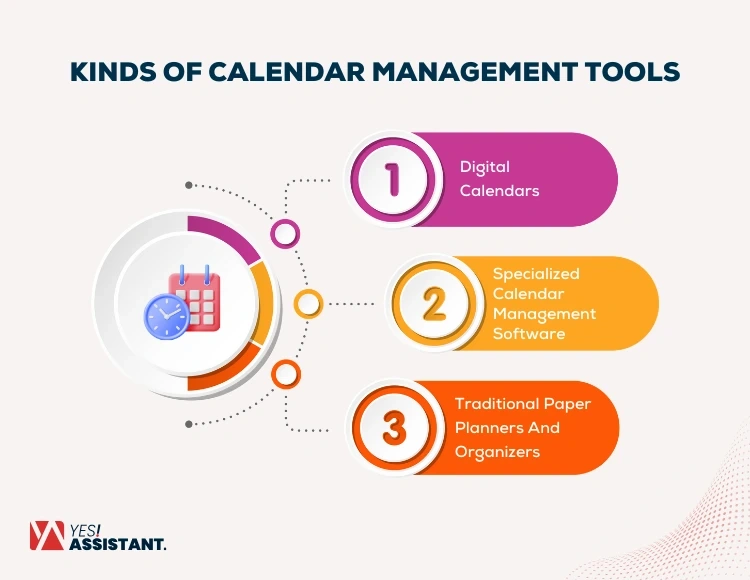
Image Source: YesAssistant
How many times have you scheduled a client call, only to realize it’s during your child’s school play?
Double-booking happens to the best of us. But the right tools can stop this chaos before it starts.
Google Calendar becomes your best friend when you color-code everything. Blue for business, pink for family, green for personal time. When everything syncs across your phone and laptop, there are no surprises.
Calendly stops the email ping-pong game. Your clients pick their own appointment times based on when you’re actually available. No more “Does Tuesday work? How about Wednesday?” It sends confirmation emails automatically too.
Here’s what I’ve learned works best:
-
Block your work hours in your calendar first
-
Share this calendar with your family so they know when you’re in “work mode”
-
Leave buffer time between appointments – kids don’t stick to schedules like adults do
ChatGPT helps when you need to write professional emails but your brain is tired from a long day. It can draft replies to customer emails, especially when paired with tools like Zapier.
For creating content quickly, Canva works wonders. Mojo creates engaging social media reels with subtitles. Mailchimp keeps your email contacts organized. Stripe handles payments without the headache.
Other tools worth trying: Trello for organizing projects, Zoom for video calls, and Asana when you’re working with others.
Remember: the goal isn’t to use every tool available. Pick the ones that solve your biggest time-wasters first.
Want personalized guidance on which tools would work best for your specific business? Schedule a 15-min Connection Call to see how I can help you: https://calendly.com/dana-2502/15min .
Creating Content That Actually Gets Seen

Image Source: The Prime Step
You know that feeling when you spend an hour creating a social media post and it gets three likes? Two of them from your mom and sister.
I used to stare at other business accounts wondering how they made everything look so polished. Their graphics looked professional. Their captions were witty. Their videos had perfect lighting.
Meanwhile, I was taking photos with my phone between loads of laundry, trying to write captions while dinner was cooking.
Here’s what I learned: you don’t need to be a designer or have a perfect setup.
Canva changed everything for me. No design experience needed. I can create graphics that look professional in minutes, not hours. The templates are already there. I just add my own text and colors.
Mailchimp helps me stay connected with people who actually want to hear from me. Instead of hoping someone sees my social media post, I can send helpful content directly to their inbox.
Mojo makes video creation simple. Those engaging reels with captions? You can create them without spending your whole afternoon learning editing software.
Three more tools that work well here:
Buffer – Schedule your posts when people actually see them, not just when you have five free minutes
Zoho Books – Handle your money stuff without spreadsheet headaches
WeTransfer – Send big files to clients without the “file too large” email bounce-back
The important thing? Start with one tool. Get comfortable with it. Then add another.
You don’t need to master everything at once. Remember: no blame, no guilt if you’re not posting every day or if your first attempts don’t look perfect.
Your message matters more than perfect graphics.
The Money Side Made Simple
Nothing kills momentum faster than chasing down payment confirmations at 11pm.
Last month, I sent a client three follow-up emails about an overdue payment. Each email took mental energy I didn’t have. Each day without confirmation made me wonder if I’d made a mistake somewhere.
Payment stress = Admin overwhelm = Less time for actual work
Stripe handles this for us. Send a payment link, get instant confirmation. No more wondering if the client received your invoice or if their payment went through. It works with credit cards, Apple Pay, even international payments – perfect when you’re working with clients from different countries.
Zoho CRM keeps track of who needs what and when. The free version works for most of us starting out. Connect it to your other apps and stop losing track of client conversations.
For collecting feedback or leads, Tally creates forms that actually look professional. You can match your brand colors and even collect payments right through the form. The best part? Unlimited forms on the free plan.
Wix gets your booking system online fast. Pick a template for your industry, add booking features, and you’re set. Clients can book and pay without you having to coordinate schedules over email.
Three more tools that work well here:
Square – Lower fees for card payments Trello – See all your client projects at once
WhatsApp Business – Connect with local clients the way they prefer
These tools handle the boring stuff so you can focus on growing your business and being present for your family.
Remember: the goal isn’t to have every tool. It’s to pick the ones that solve your biggest time drains first.
What Really Matters
Remember that scattered feeling I mentioned at the beginning? The one where you’re trying to be professional while your daughter asks about piano notes?
That feeling doesn’t have to be your normal.
The tools I’ve shared aren’t magic solutions. They won’t eliminate the beautiful chaos of running a business while raising a family. But they can give you back those precious minutes you’ve been losing to admin tasks and scheduling mix-ups.
When your calendar automatically blocks family time, when payments process while you’re at soccer practice, when your content gets created without hours of struggle – that’s when you realize something important.
You don’t have to choose between being a good mom and running a successful business.
These tools handle the repetitive stuff so you can focus on what actually matters. Client relationships. Creative work. Being present when your kids want to share their latest discovery.
I know every business is different. What works for me might not be exactly what you need.
If you’re feeling stuck about which tools would actually help your specific situation, I’m here to help. Sometimes it just takes a quick conversation to see what would make the biggest difference for you right now.
Schedule a 15-min Connection Call if you’d like to talk through your options. No pressure, just honest advice from one mom business owner to another.
Your business can grow without your family life falling apart. I promise.
Key Takeaways
These tested digital tools help mumpreneurs balance business growth with family life, transforming overwhelming schedules into manageable workflows.
• Google Calendar and Calendly eliminate scheduling chaos – Color-code family and business appointments while letting clients book directly without email back-and-forth
• Canva and Mojo boost marketing impact with minimal effort – Create professional graphics and engaging reels with auto-captions, since visual content gets 94% more views
• Stripe and Zoho CRM streamline business operations – Process payments instantly while managing customer relationships through UAE-friendly platforms
• ChatGPT saves hours on communication tasks – Draft professional emails and brainstorm ideas, allowing focus on high-value activities instead of repetitive writing
• Email marketing delivers exceptional ROI at 4200% – Use Mailchimp to build targeted campaigns that drive sales while maintaining customer relationships
The most successful mumpreneurs don’t work harder—they work smarter by selecting digital tools that handle repetitive tasks, freeing up time for both business growth and family moments.
FAQs
Q1. What are some essential digital tools for mumpreneurs? Some essential digital tools for mumpreneurs include Google Calendar for scheduling, Calendly for appointment booking, Canva for design, Stripe for payments, and Mailchimp for email marketing. These tools help streamline operations and improve productivity.
Q2. How can mumpreneurs balance business and family responsibilities? Mumpreneurs can balance business and family responsibilities by using smart scheduling tools like Google Calendar to color-code appointments, time-blocking for dedicated work hours, and utilizing productivity apps to streamline tasks. It’s also important to set clear boundaries and communicate schedules with family members.
Q3. What are the benefits of using marketing tools for mom-owned businesses? Marketing tools like Canva and Mojo help mumpreneurs create professional-quality graphics and engaging social media content without extensive design experience. These tools can significantly boost marketing impact, as visual content receives 94% more views than text-based content.
Q4. How can mumpreneurs streamline their payment processes? Mumpreneurs can streamline payment processes by using tools like Stripe, which offers instant transaction processing and supports various payment methods. This allows for seamless payment collection from clients, both locally and internationally.
Q5. What’s the importance of email marketing for mumpreneurs? Email marketing is crucial for mumpreneurs as it offers an excellent return on investment, with businesses seeing an average ROI of 4200%. Tools like Mailchimp help manage email campaigns, build customer relationships, and drive sales effectively.
Recent Comments